
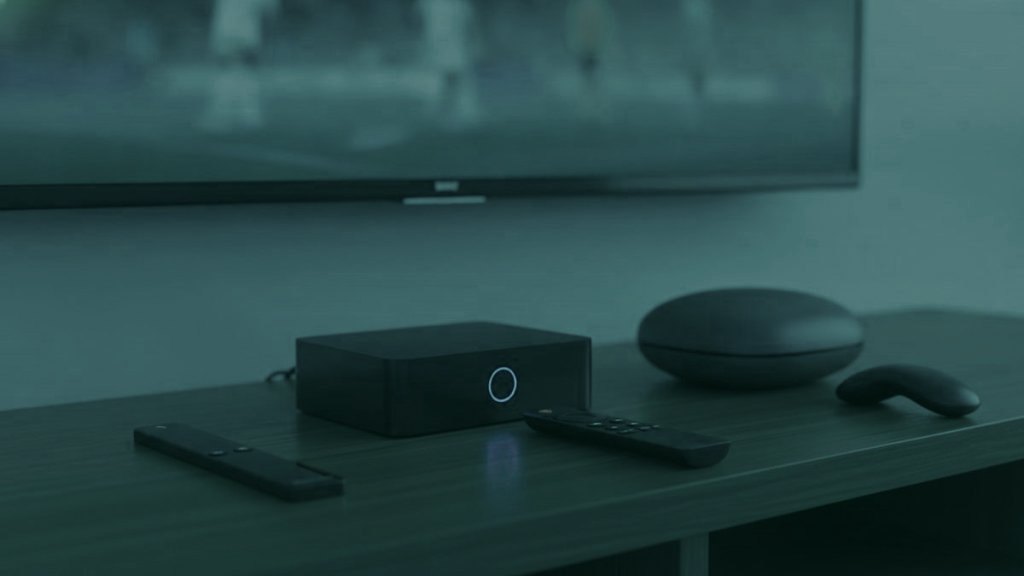
Almost every comparison of IPTV hardware is written about the picture. Processor, memory, whether it handles 4K. Those matter, and they are also the parts where the devices have largely converged: nearly anything current will decode a modern feed. Where they still differ enormously is in what they do with the sound, and that is the part nobody puts on a box.
The short version
If you watch through television speakers, buy the cheapest current streaming stick. If you have a soundbar, buy one that passes audio through rather than decoding it. If you have a proper amplifier, buy a wired receiver. The price differences follow that logic rather than the processor.
The question to ask before any spec
What is between the device and your ears? That single question sorts the whole category.
A television with its own speakers will flatten everything you send it regardless of what arrives, so paying for pass-through capability buys you nothing. A soundbar or an amplifier, on the other hand, is only as good as what reaches it, and a device that decodes audio to stereo before handing it over has quietly discarded the thing you paid for. That is a setting on some hardware and a hard limitation on the rest.
So establish what you own first. It changes which of the sections below applies to you, and it is the reason two households can reasonably reach opposite conclusions about the same device.
Streaming sticks
The Fire TV Stick is the most common hardware running these subscriptions, for two unglamorous reasons: it costs little, and Amazon permits sideloading, which matters because the better players are not in their store.
The distinction worth knowing is between models. A 4K or 4K Max will pass Dolby through to a soundbar or receiver untouched. The basic HD stick and the older models decode everything to stereo first, and no setting in any player will put back what was thrown away. If you have a sound system, the few pounds between those models is the most consequential money in this entire article.
Against them: a small aerial sitting behind a television, which is close to the worst location in the room for a wireless signal, and a tendency to run warm and throttle when pressed against a back panel. An Ethernet adapter and the extender in the box address both for very little.
Android boxes and the Nvidia Shield
Android as a platform is the most accommodating here, because every player worth running is available and installs without argument. Within it the spread is wide.
The cheap end is genuinely poor value. Very cheap boxes ship with old Android, little memory and unpredictable audio handling, and they generate a disproportionate share of support conversations. The saving against a Fire TV Stick is small and the cost in frustration is not.
The Nvidia Shield sits at the other end and is the most capable general-purpose device in this category. It decodes anything without effort, it passes audio through reliably, and it has a wired socket. For a household with an amplifier that also wants to use the device for other things, it is the one worth the money. For a bedroom television, it is several times more device than the job needs.
Dedicated receivers: MAG and Formuler
These exist to do one job, which is why they do it better than general-purpose hardware. They plug into Ethernet, decode in hardware, and hand audio to an amplifier without re-encoding it on the way. If you have spent money on speakers, this is the category that justifies them.
They are also different to set up. Instead of typing a username and password into a player, the box is identified by the MAC address printed underneath it and registered against a portal by the provider. That is more convenient afterwards and less convenient once, and it means telling your provider if you replace the box.
The honest limitation is that they are single-purpose. They will not run your other applications, and their interfaces are plainer than anything from a large manufacturer. For somebody who wants the best sound and does not care about anything else, that is a good trade.
The television you already own
Worth considering seriously before buying anything, because a great many households need nothing at all. A Samsung or LG set from 2019 onwards with a working store player will run this perfectly well.
The two limits are real. The processor inside a television is usually a generation or two behind its panel, so a 4K screen can stutter on a heavy feed that a cheap stick handles. And the players available on those closed platforms expose less, particularly around audio tracks, which is a limitation no setting will remove.
The practical test: if the set works and nobody in the house needs to switch audio tracks, buy nothing. If either of those fails, a stick on a spare port is the cheapest fix available.
Roku, briefly and honestly
Roku is a curated platform with no sideloading. The players come and go from its store and they are cut down compared with their Android versions, with audio-track switching generally absent. Mirroring from a phone always works and ties up the phone.
If a television with Roku built in is mainly used for live television, the answer is a stick on a spare HDMI port rather than persistence. It costs less than a month of most subscriptions and removes every one of these limits at once.
What to spend, by household
- One television, its own speakers, casual viewing. The cheapest current stick. Do not spend more; you would not hear the difference.
- A soundbar in the living room. A 4K-class stick with pass-through, or a Shield if you want headroom. This is where the money starts being worth spending.
- A real amplifier and speakers. A MAG or Formuler receiver, wired. Nothing else in this list matches it for audio.
- Several rooms. One good device where you watch most, cheap sticks elsewhere. There is no advantage to matching hardware across a house.
Connectivity, which decides more than the processor
If you change one thing about an existing setup, make it the network rather than the box. A wired connection removes an entire category of problem, and the devices differ sharply in whether they offer one.
Dedicated receivers have Ethernet as standard, which is most of their advantage. The Nvidia Shield has it. Most streaming sticks do not, and take a cheap USB adapter instead, which works perfectly well and costs less than a takeaway. Televisions almost all have a socket, frequently unused because the set was configured on wireless during setup and never revisited.
The case for it is simple. A stick sits behind a television, which is close to the worst position in a room for a wireless signal, and a 4K feed carrying surround is the most demanding thing that connection will be asked to do. Cabling it turns an intermittent, hard-to-diagnose problem into no problem, permanently, for a few pounds.
How long any of it lasts
Streaming hardware has a shorter working life than the television it plugs into, which is worth factoring into what you spend. Sticks tend to slow noticeably after three or four years as applications grow and the device does not. Receivers last longer because they do less. Televisions outlive both by a wide margin, which is precisely why their built-in players age badly.
The practical consequence is to buy for now rather than for a decade, and to prefer the cheap replaceable thing over the expensive built-in one.
What not to buy
Pre-loaded boxes sold on auction sites with content already on them are a different proposition from the hardware above, and not one we would recommend to anybody. So are the very cheapest generic Android boxes, which cost a little less than a known stick and behave considerably worse.
And be wary of buying on processor specifications alone. The difference between devices in daily use is overwhelmingly about connectivity and audio handling, not about raw speed, and the specification sheet is silent on exactly the part that matters.
Frequently asked questions
What is the best device for IPTV?
It depends on what you listen through. Television speakers make the cheapest current stick the right answer. A soundbar makes pass-through capability worth paying for. A real amplifier makes a wired MAG or Formuler receiver the best choice in the category.
Is the Nvidia Shield worth the money?
For a household with an amplifier that also wants a general-purpose device, yes: it decodes anything, passes audio through reliably and has a wired socket. For a bedroom television it is far more hardware than the job requires.
Do I need a box if my television is smart?
Often not. A Samsung or LG from 2019 or later with a working store player manages well. Add a device if the set stutters on 4K feeds, or if anyone in the house needs to switch audio tracks, which those players handle poorly.
Why does my expensive soundbar sound flat?
Almost always because something upstream decoded the audio to stereo before sending it. Check the pass-through setting on the device and the television, and check the soundbar is on the HDMI port marked ARC or eARC.
Are cheap Android boxes worth it?
Rarely. They ship with old Android, little memory and unpredictable audio handling, and they save very little against a known streaming stick. They are the single most common source of avoidable problems in this category.
Try it on the speakers you actually use
Order on WhatsApp, the login arrives in under 15 minutes, then open one channel you know well and check the picture, the audio track and the subtitles. 7 days to change your mind.
Related articles
An IPTV Glossary Organised by When You Will Need Each Term
Most glossaries list terms alphabetically, which is useful only if you already know the word you are looking for. This one is…
September 19, 2026IPTV Against Cable: What Actually Changes in the Living Room
The cost comparison is not close and it is also not the whole story. What you give up is a signal that…
September 19, 2026IPTV and Streaming Platforms Do Different Jobs, and Most Homes Keep Both
These are usually framed as rivals and they are not really competing. One sells a catalogue it owns; the other carries live…