
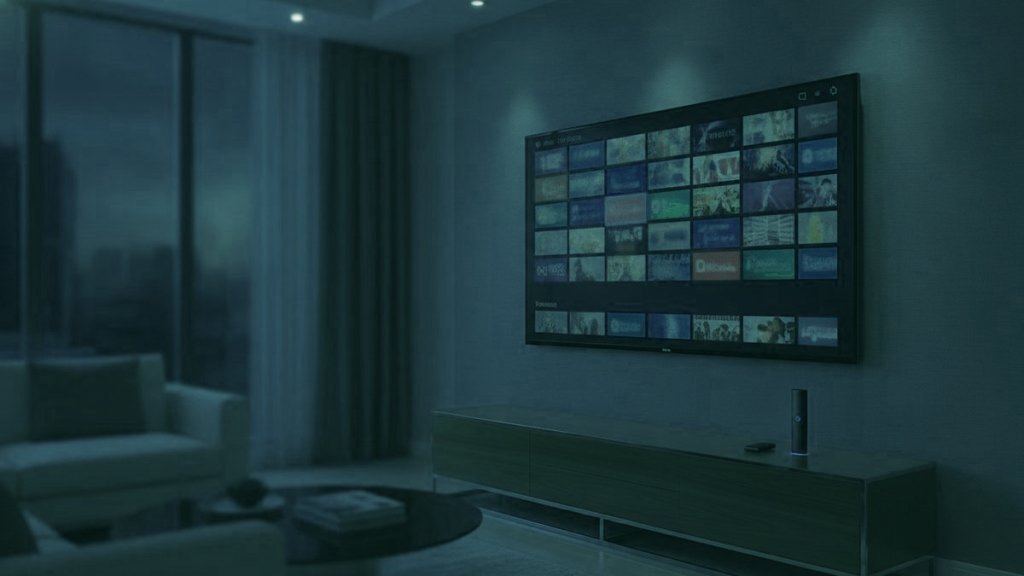
IPTV is television delivered over your internet connection rather than through a dish, a cable or an aerial. A player on your device holds a login, and channels arrive as data in the same way a video call does. That is the entire concept, and it takes about a sentence. Everything that decides whether you actually enjoy it happens elsewhere, in the parts of the signal nobody puts on a sales page.
The difference in one line
Broadcasting pushes every channel to everybody, continuously, whether or not anyone is watching. IPTV sends one channel to one viewer, on request. Nearly everything else about how it behaves follows from that single difference.
What happens between pressing a button and seeing a picture
When you select a channel, the player asks a server for that stream. The server begins sending it in small pieces, the player buffers a second or two so that a brief interruption does not become a visible one, and then decoding starts. Because the request is individual, two people in the same house watching two channels are using two separate streams, which is the reason a subscription talks about how many feeds may run at once rather than how many devices you own.
It also explains the failure mode people complain about. A broadcast transmitter does not care how many televisions are switched on. A streaming server very much does, which is why an evening with a big fixture is the real test of any provider and a quiet Tuesday morning tells you nothing at all.
The part that travels alongside the picture
Here is what almost no explanation of IPTV mentions. A feed is not a picture with sound attached as an afterthought. It is a container carrying several things at once: one video stream, one or more audio streams, sometimes a subtitle stream, and metadata describing all of them.
The audio streams are where households are quietly won and lost. A single broadcast can carry the original commentary and a dubbed version, or a main mix and a descriptive one, or two entirely different languages. Whether you can reach them depends on three things in sequence: whether the broadcaster sent them, whether the format your provider uses exposes them, and whether the player you chose gives you a control to switch. Break any link in that chain and the tracks are there and unreachable.
This is why the same channel can sound different on two devices in the same room. Nothing about the feed changed. One player is showing you a choice and the other is silently taking the first option.
What you need, honestly
- A connection that is steady rather than fast. Roughly 10 Mbps carries HD and 25 Mbps carries a 4K stream, with headroom when several are running. A consistent 30 Mbps is better than an erratic 200, because streams break on the gaps rather than on the average.
- Something to run a player on. A streaming stick, a television with its own store, a phone, a computer or a dedicated receiver. Most households already own at least two of these.
- A player. This is a bigger decision than it looks, because the player decides which of the feed you can actually reach.
- A login. Usually three values: a server address, a username and a password.
Why the format of that login matters
There are two common ways to hand a line-up to a player. The older one is an M3U playlist, which is a single long address returning a flat list of streams. The newer one, usually called an Xtream login, gives the player structured data instead.
They reach identical channels, and they are not equivalent. Structured data lets the player show proper groups, load programme guide data, present the on-demand library as browsable categories, and read out which audio and subtitle streams each feed carries. A flat playlist gives a list of addresses and nothing else. If a player cannot tell you that a second audio track exists, it will never offer you the choice.
Where the picture quality actually comes from
Resolution is the number everyone quotes and it is the least interesting part of the answer. A channel labelled 4K carries four times the pixels of Full HD, and what fills those pixels is bitrate. A generously encoded HD feed routinely looks better than a starved 4K one, particularly on fast-moving sport where a thin stream smears into blocks the moment anything happens quickly.
Then it has to survive your equipment. The decoder in a television is frequently a generation or two behind the panel in front of it, so a 4K screen can stutter on a feed a cheap stick handles easily. And a picture that looks perfect can still arrive with its surround folded down to stereo somewhere along the way, which is a setting rather than a fault, and one most people never find.
Live television and on-demand are different things
Most services carry both and they behave differently enough to be worth separating. A live channel follows a broadcast schedule: you join whatever is happening now, and the programme guide tells you what that is. An on-demand title is a file you start yourself, which is why pausing and resuming work there and behave unpredictably on a live feed.
Catch-up sits between the two and is a third thing again. It exists only where the broadcaster keeps an archive and the player supports reaching it. Seeing yesterday in a guide is not evidence that yesterday was recorded for you, which is a distinction worth understanding before you plan an evening around it.
What to check before you pay anybody
The channel count is close to worthless as a comparison. A list of eighty thousand entries padded with dead channels and duplicate regional feeds is worse to live with than a maintained list a third of the size. What matters is whether the forty channels your household actually opens are stable, and whether they arrive with the audio you need.
So test those forty. Take a trial, open the channels you genuinely watch, and do it on a busy evening rather than a quiet afternoon. While you are there, find the audio-track control and the subtitle control and confirm they work. That is a fifteen-minute exercise that tells you more than any review, including this one.
The common problems, and what they usually mean
- Buffering only at peak times. Either the provider is short of capacity or your own line is congested. Testing on a weekday morning and again at nine on a Saturday separates the two quickly.
- One channel misbehaving while everything else is fine. That points at the feed rather than at your setup, and it is worth reporting as such.
- Dialogue buried under music. Frequently a second audio track exists with a different mix. Failing that, most soundbars have a dialogue mode that helps more than the volume control does.
- Surround that never appears. Nearly always a pass-through setting on the device or the television, not a limitation of the feed.
A note on what changes over time
One last thing worth knowing before you buy anything in this market: line-ups are not static. Channels appear and disappear as the arrangements behind them change, and any provider promising a permanent list is either misunderstanding their own business or hoping you will not notice. What you can reasonably ask for is that somebody tells you when something changes and that the refund position is written down.
Is it worth it?
For a household paying eighty or a hundred a month for a package it half watches, the arithmetic is not subtle. What you give up is the guarantee of a broadcast signal that works because it always works, and what you gain is a line-up no cable package matches and the ability to watch it on hardware you already own.
The honest summary is that IPTV is excellent when it is run properly and irritating when it is not, and that the difference is invisible from a sales page. Which is why the only sensible way to buy it is to test it first, on your own equipment, on an evening that counts.
Frequently asked questions
Is IPTV the same as streaming services like Netflix?
Technically similar and commercially different. Both send video over the internet on request. A streaming platform sells its own catalogue of recorded titles; IPTV carries live television channels as they broadcast, usually alongside an on-demand library. Most households that have both use them for different things.
Do I need a special box for IPTV?
Usually not. A streaming stick, a recent smart television, a phone or a computer will all run a player. A dedicated receiver is worth buying only if you care about surround sound and want a wired decoder, which is a real but narrow benefit.
Why does the same channel look different on two devices?
Because the decoder and the settings differ, not the feed. One device may be taking a lighter copy of the channel, or folding surround down to stereo, or decoding more slowly than the panel can display. The stream leaving the server is identical.
What internet speed does IPTV need?
About 10 Mbps for HD and 25 Mbps for 4K, with more when several feeds run together. Consistency matters more than the headline figure, and a cable to the television removes more problems than any other single change.
What is the difference between live TV and catch-up?
Live follows the broadcast schedule and you join it in progress. Catch-up lets you open something that has already aired, and it exists only where the broadcaster keeps an archive and the player can reach it. A programme appearing in yesterday's guide does not prove a recording exists.
Try it on the speakers you actually use
Order on WhatsApp, the login arrives in under 15 minutes, then open one channel you know well and check the picture, the audio track and the subtitles. 7 days to change your mind.
Related articles
An IPTV Glossary Organised by When You Will Need Each Term
Most glossaries list terms alphabetically, which is useful only if you already know the word you are looking for. This one is…
September 19, 2026IPTV Against Cable: What Actually Changes in the Living Room
The cost comparison is not close and it is also not the whole story. What you give up is a signal that…
September 19, 2026IPTV and Streaming Platforms Do Different Jobs, and Most Homes Keep Both
These are usually framed as rivals and they are not really competing. One sells a catalogue it owns; the other carries live…