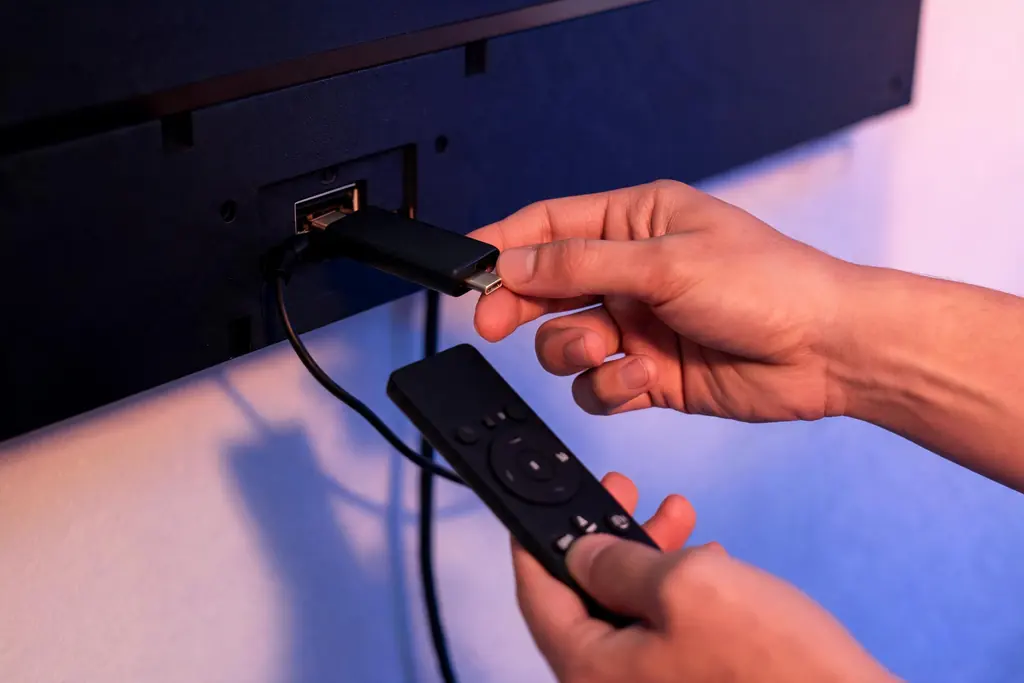
| Sound, no picture | The device cannot decode that copy: open HD, then try the other decoding mode |
|---|---|
| Silent, one channel | That feed is down, renamed or moved: refresh the list, then report it |
| Silent, every channel | Login or connection: read any message, then test a phone on mobile data |
| Menus black as well | The TV input or the HDMI cable, not the stream |
| Looks blocked where you live | Message support and leave your network settings alone |
Which black are you looking at?
Note three things first: sound or silence, one channel or all of them, and whether the menus still show. Together they place the fault:
| What you see | Likely cause | Fix |
|---|---|---|
| Sound over black, only on 4K channels | The device does not decode that 4K format | The FHD or HD copy |
| Sound over black, on any channel | A decoding mode that does not suit the device, or a player stuck after fast zapping | Switch decoding mode; close the player fully |
| A second or two of black as each channel opens | The television changing refresh rate to match the channel | Normal; frame-rate matching can be turned off |
| A spinner, then nothing, on one channel | The feed is offline, renamed or moved | Search its name, refresh the list, report it |
| A spinner on every channel | An expired term, every screen in use, or no connection | Read any message; test a phone on mobile data |
| The whole TV black, menus included | The wrong input, a loose HDMI cable or power saving | Reseat the cable, or try another HDMI port |
Checks for a black Tivo8k channel, quickest first
- Turn the volume up (5 seconds). Sound or silence decides which half of this page you need.
- Open a channel from a different group (10 seconds). If it plays, the account and the connection are fine; the fault belongs to the first channel.
- Try the other copy (10 seconds). A picture in HD with black in 4K is the decoder, not the feed.
- Find the channel again (1 minute). Search part of its name: lists are reorganized from time to time, and a favorite keeps pointing at the entry you saved.
- Refresh the list (2 minutes), as the player notes below describe.
- Start from cold (3 minutes). Force-close the player, pull the power of the device for a full minute, then start again; standby keeps a stuck video state alive.
- Try a phone on mobile data (2 minutes). Same login, Wi-Fi off. Plays there: the fault is at home. Black there too: message support.
Sound but no picture: the decoder
When you can hear the commentary over a black frame, the stream is reaching the device whole; only the video is not being drawn. 4K copies are usually compressed in HEVC, a format that older sticks, the built-in players of some televisions and several Roku models handle partly or not at all.
- Hardware decoding uses the video chip: efficient, but limited to the formats that chip knows.
- Software decoding uses the main processor: slower and sometimes jerky on 4K, yet able to open formats the chip refuses.
Switch modes after trying the HD copy. If neither shows 4K, the device is the limit, and what a screen needs for Tivo8k in 4K lists the hardware that copes.
One black is harmless: players that match the refresh rate of the television to each channel blank it for a second while it switches (TiviMate calls this AFR in recent versions). If the menus vanish too, the black comes from the television input: reseat the HDMI cable, try another port, and check that power saving has not switched the panel off.
Silence and a spinner: one channel or all of them
One channel. The stream for that entry is not arriving: down for a while, renamed into another group, or set up for a single event and empty until it begins. Search, refresh, check that it still appears on the Tivo8k channel list, then message support; we check the feed and tell you plainly what has happened.
Every channel. Nothing reaches the player, so the account or the connection is at fault rather than a feed. An expired term or a full plan can look like a wall of black channels in players that show no message; the sign-in fixes cover both. With the account current, the connection is next, and the Tivo8k buffering guide walks through it.
A channel that seems blocked where you are. Do not route around it with network settings or extra software. Message support with the channel, its group and the time: that is the fix we offer.
Player by player: refreshing the list and the picture
TiviMate
Refresh the list from the playlist entry in the settings, where recent versions offer an update. Favorites saved before a channel changed entry may stay black: add the channel again from its group. A decoder choice or frame-rate matching, where your version has them, are the playback settings that touch a black picture; TiviMate set up step by step shows where the playlist lives.
IPTV Smarters Pro
Sign out and back in to pull a fresh list; some versions also offer a reload on the Live TV screen. The decoding choice sits in the player settings, and handing a channel to an external player, where your version allows it, shows whether the black lies with the app or the device.
Smart IPTV
A fresh list means reloading the playlist on the web page of the app, then closing the app fully from the recent apps view. Televisions a few years old often struggle with 4K copies, so prefer HD on those; Smart IPTV on Samsung and LG covers the registration.
MAG and Formuler boxes
Restart from the menu, not at the plug. Every channel black after a power cut usually means a lost portal setting: enter the portal URL again under Settings, System Settings, Servers, Portals. One channel black while the rest play is a feed to report.
What to send support about a black channel
- The channel name exactly as the list shows it, and its group.
- The time, and whether there was sound.
- Which copies you tried: 4K, FHD, HD.
- The device, the player and, for every channel black, any message and how many screens were playing.
Send it in the WhatsApp chat that holds your login, at any hour. Other faults, from silent channels to an empty guide, are sorted by symptom on the main Tivo8k troubleshooting page.
Other Tivo8k fixes
 No sound
Picture but silence: find whether the TV, soundbar, player or feed lost the sound, starting with the quickest test.
 Audio out of sync
Voices early or late on the lips: work out which device adds the delay and correct it in one place.
 Missing subtitles
Subtitle list empty, blank or garbled: separate player limits from missing tracks, with steps for TiviMate, Smarters and VLC.
 Buffering
Stalls and freezes traced to the line, the device or the feed, with checks ordered from quickest to slowest.
 Login error
Invalid, expired or too many screens: what each sign-in message means and how to clear it in your player.
All of them on one page: Not Working.
Black screen on Tivo8k: questions
Why can I hear Tivo8k but see only a black screen?
Because the device receives the stream but cannot decode its video. That happens most on 4K copies, which use a format older sticks and some televisions do not fully support. Open the FHD or HD copy; if a picture appears, switch the decoding mode or keep the lower copy on that screen.
Why is one Tivo8k channel black when the rest play?
That entry is not delivering. It may be down for a while, renamed into another group, or an event channel waiting for its event. Search for it, refresh the list and try its other copy. Still black: message support with the name, the group and the time for a straight answer.
Do Tivo8k 4K channels play on every device?
No. They need a 4K television, a device whose chip decodes the 4K format, and roughly 25 Mbps for that stream. Older basic sticks, some smart TV apps and several Roku models fall short and may show black with sound. A 4K channel normally has an FHD or HD copy beside it in the list, which plays on all of them.
What should I do if a Tivo8k channel looks blocked where I live?
Message support on WhatsApp with the channel name, its group and the time, and change nothing on your network. Support checks the feed and tells you what is happening, whether a fault being fixed, a move within the list or a channel no longer carried. Getting around blocks is not something we advise on.
Why does a Tivo8k favorite stay black after the list changes?
Because the favorite points at the entry you saved, and channel lists are reorganized from time to time. When a channel moves to a new entry, the old one can go dark while the channel plays inside its group. Find it with the player search and save it to your favorites again.