| Usual cause | Weak Wi-Fi where the screen sits, or a 4K copy on a line that cannot hold it all evening |
|---|---|
| First thing to try | The HD copy of the same channel: ten seconds, no settings touched |
| Speed per stream, roughly | HD about 10 Mbps, FHD about 15, 4K about 25; add them up for screens playing together |
| Restart order | Router first; the TV, stick or box only once the router is back online |
| Ours to fix | One channel stalling on a cable while the rest play: send it to support on WhatsApp |
Read the pattern before you change a setting
A player keeps a few seconds of video in hand; when the stream arrives more slowly than it plays, that reserve drains and the spinner turns. When and where it happens names the weak link:
| What you see | Likely cause | Fix |
|---|---|---|
| Every channel stalls, at any hour | Weak Wi-Fi at the screen, or a line slower than the copy you opened | HD copy, then a cable or the 5 GHz band |
| Smooth by day, stalling from early evening | Less to spare at peak hours, inside the house and beyond it | Pause downloads; keep 4K for quieter hours |
| Only channels in the 4K group stall | Roughly 25 Mbps is not reaching the screen, or the device decodes 4K slowly | The FHD or HD copy of that channel |
| One channel stalls while the rest play on a cable | That feed, at our end | Note the name, group and minute, then message support |
| The picture freezes while the sound carries on | The decoder falling behind, not the line | Switch between hardware and software decoding |
Tivo8k buffering checks, cheapest first
- Step down one copy (10 seconds). Channels that come in 4K also sit in the list as FHD or HD copies, and from the sofa FHD and 4K look closer together than the bandwidth they ask for.
- See what else is online (1 minute). A console update, a cloud backup, another television in 4K: each screen playing draws a stream of its own.
- Measure where the TV is (3 minutes). Run a speed test in the browser of the TV or stick, or on a phone held beside the screen. Test twice, a minute apart, and go by the lower result.
- Restart in the right order (5 minutes). Unplug the router, count thirty, plug it back in and wait until a phone loads a page over Wi-Fi. Only then unplug the stick, box or television for a minute. Woken first, the device can cling to a stale connection.
- Shorten the wireless leg (10 minutes). A cable beats any Wi-Fi; failing that, 5 GHz with few walls in the way.
- Change one player setting (2 minutes). The decoding mode, or a larger buffer where the player offers one.
- Hand it over. HD still stalls on a cable with nothing else running at home: message support.
Cable, 5 GHz and the speed each stream needs
Wi-Fi is the usual weak link: full bars can still hide lost packets, and a live stream has no time to wait for them. In order of preference:
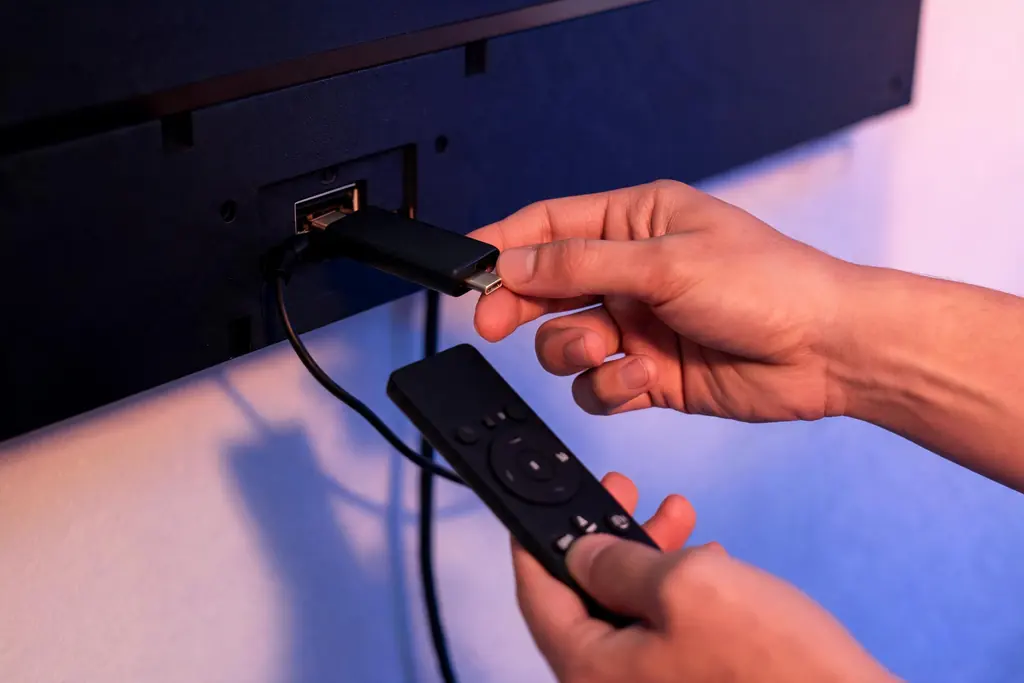
- Ethernet. Android TV boxes, MAG receivers and most smart televisions have a port. A Fire TV Stick takes a small adapter on its power lead, as the Firestick setup for Tivo8k mentions.
- Powerline adapters carry the network through the mains wiring when a cable would have to cross the house; results depend on the wiring.
- 5 GHz Wi-Fi carries far more than 2.4 GHz but fades through walls. If both bands share one name, the router settings usually let you split them.
- 2.4 GHz reaches further, but it is shared with the networks next door and with microwave ovens.
Rough figures per stream, held steady through the evening rather than reached once in a test:
| Copy you open | One screen, roughly | Two screens at once |
|---|---|---|
| HD | 10 Mbps | 20 Mbps |
| FHD | 15 Mbps | 30 Mbps |
| 4K | 25 Mbps | 50 Mbps |
Treat them as working guidance, not a promise about your line, and leave room for everything else in the house. What a 4K screen needs besides speed is set out in the Tivo8k 4K guide.
Player by player: the settings that help
TiviMate
Recent versions keep a buffer size choice among the playback settings. A larger buffer starts each channel a moment later and rides out short dips, which suits a fast but uneven line. Load the account as an Xtream Codes playlist, as the TiviMate walkthrough describes.
IPTV Smarters Pro
The player settings switch between hardware and software decoding, under a label that varies by version. If one device stalls where another plays the same channel cleanly, try the other mode before blaming the line. Some versions can hand a stream to an external player such as VLC, a useful second opinion.
Smart IPTV on Samsung and LG
The app offers little to adjust. A television sits low behind its own panel, often the worst Wi-Fi spot in the room, so a cable to the set does more than any setting; on older sets the HD copy is the honest answer to 4K.
MAG and Formuler boxes
These receivers are built for a cable, so a MAG box stalling on Wi-Fi has found its own cause. Restart from the menu rather than at the plug, which can lose the portal setting. Some firmware versions offer a buffer option in the system settings. The MAG and Formuler setup covers the wiring.
When support should take over, and what to send
Stalling that survives a cable, the HD copy and a quiet house is worth reporting: the feed itself may be struggling, and only we can see it. In the WhatsApp chat that holds your login, send:
- The channel as the list shows it, its group and the time it stalled.
- Whether other channels played smoothly at that moment.
- Cable or Wi-Fi, and your lower speed reading from where the screen sits.
- The device, the player, and whether the HD copy stalls too.
A channel that will not reach you at all, or seems blocked where you live, also goes to support: leave your network as it is. If the service cannot be made to play properly on your screen within 7 days of activation, the money-back terms apply. Black instead of stalling? See the checks for a black Tivo8k channel; a refused sign-in has the login error fixes.
Other Tivo8k fixes
 No sound
Picture but silence: find whether the TV, soundbar, player or feed lost the sound, starting with the quickest test.
 Audio out of sync
Voices early or late on the lips: work out which device adds the delay and correct it in one place.
 Missing subtitles
Subtitle list empty, blank or garbled: separate player limits from missing tracks, with steps for TiviMate, Smarters and VLC.
 Login error
Invalid, expired or too many screens: what each sign-in message means and how to clear it in your player.
 Black screen
Sound over a black picture, a spinner on one channel or on all of them: three causes, three sets of checks.
All of them on one page: Not Working.
Buffering on Tivo8k: questions
Why does Tivo8k buffer only in the evening?
Because your connection has the least to spare then. At home, phones, consoles and other screens are all busy; outside it, the wider network carries its heaviest load. A set-up that copes at noon can fall short at nine. Wire the screen, pause big downloads and use the FHD copy at peak; one channel struggling on a cable while others play is worth reporting.
How much speed does Tivo8k need for each screen?
Roughly 10 Mbps for an HD copy, about 15 for FHD and about 25 for 4K, for each screen playing at the same moment, measured where that screen sits. Add the screens together and leave room for everything else in the house.
Is Tivo8k down when every channel buffers?
Rarely. Test another connection first: a phone on mobile data with the same details, the television stopped if your plan covers one screen. Smooth on the phone means the service is fine and the home network is short. If the phone stalls as well, across several channels, message support with the time.
Why does Tivo8k buffer on the TV but not on my phone?
Because the two are not getting the same connection or doing the same work. The phone is usually nearer the router and may be on 5 GHz, while the television sits low behind its own panel on 2.4 GHz. The TV may also be decoding 4K on a slower chip. Try a cable to the set, then the other decoding mode, then the HD copy.
Will faster broadband stop Tivo8k buffering?
Only if the line itself is below what your screens need. Most buffering happens on the last few meters, between the router and the device, and a faster plan does nothing for a weak Wi-Fi signal. Measure where the screen sits first. Low there but healthy beside the router means a cable or a better-placed access point is the cheaper cure.