| Usual cause | A mute, the wrong soundbar input, or a Dolby track one device cannot play |
|---|---|
| One-minute test | Set the stick or box to stereo output, then reopen the channel |
| Silent everywhere | Mute on the TV, a phone and VLC alike: the feed, so tell support |
| Help | WhatsApp +1 917 793 9264, 24/7, in the chat that holds your login |
Three kinds of silence, three places to look
First notice how much is silent. A television mute even in its menus points at the TV, the bar or the cable joining them. Sound in other apps but none in the player points at the player or the stick. A few silent channels usually send surround one device refuses.
| What you notice | Likely cause | Fix |
|---|---|---|
| Nothing at all, menus too | Bar asleep or on the wrong input; TV output aimed at a device that is off | Select TV, ARC or optical on the bar, or set the TV to its own speakers |
| Silent in the player only | Player muted, a track set to off, or a decoder the device dislikes | Unmute on screen, pick a track, try the other decoder |
| Silent on 4K and film channels | Dolby Digital Plus that the bar, the optical lead or the TV will not pass | Stick to stereo or Dolby Digital, or TV digital output to PCM |
| Crowd noise, no commentary | Commentary on another track, or a clean international feed | Open the track list; otherwise another broadcaster of the event |
| Silent on every device | The feed arrives without audio | Report the channel, its group and the time |
Tivo8k no-sound checks, quickest first
- Three remotes (30 seconds). TV, bar and stick each keep a separate mute, and some players draw their own. A bar in standby counts as muted.
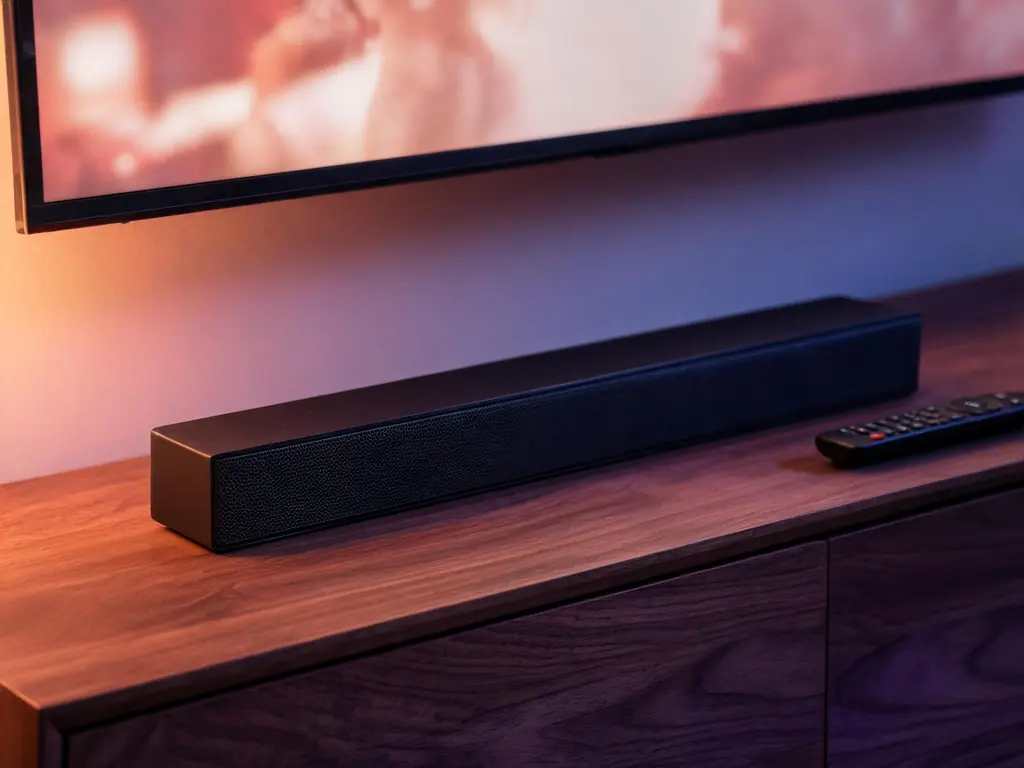
- The bar input (30 seconds). Press its source button until it names your cable: TV, ARC or eARC for HDMI, D.IN or OPT for optical. Bars wake on the input used last.
- A neighbor and a film (1 minute). Sound on a channel from another group and on a library title means a format or feed case, not a dead device.
- The track list (1 minute). During playback, open the audio menu: a mute first entry is often solved by the second. A lone und or Track 1 is normal.
- The stereo test (1 minute). Set the stick to stereo or PCM (paths below) and reopen the channel. Sound back means Dolby was reaching equipment that could not unpack it.
- The lower copy (1 minute). A silent 4K entry beside an audible HD twin points at the audio format of that copy, not at your account.
- Another player (3 minutes). Players unpack sound differently; if a second one plays that channel aloud, use it and tell us.
- A restart in order (3 minutes). Unplug everything, then power the bar or receiver first, the television second and the stick last, so each HDMI device finds its partner already awake.
Sound settings on each device
Menu names move between versions; the rule does not: whatever unpacks the sound must understand its format, or the stick must send plain stereo.
- Fire TV (Fire OS): Settings, Display & Sounds, Audio. Surround Sound on Stereo is the test. Many models add a Dolby Digital Output choice, where a bar on optical needs Dolby Digital rather than Dolby Digital Plus. More in Tivo8k on a Firestick.
- Android TV, Google TV, Nvidia Shield: Display & Sound, then the advanced sound or surround entry. Turning surround off (None or Never) is the test; Manual, where listed, disables only the format your bar rejects.
- Samsung: Sound, Expert Settings, Digital Output Audio Format: PCM for the test, Auto or Pass-Through to forward Dolby. Sound Output must name the bar or TV speakers, not an old Bluetooth speaker.
- LG: Sound Out picks the speakers; Additional Settings holds Digital Sound Out, with Auto, PCM and Pass Through.
- Apple TV: Video and Audio, Audio Format, Change Format to Stereo for the test; check Audio Output is not still on AirPods.
Cables count too. HDMI ARC carries Dolby Digital and, on many sets, Dolby Digital Plus; optical cannot carry Dolby Digital Plus at all, so a bar on optical can fall silent on exactly those channels.
Inside TiviMate, IPTV Smarters Pro and VLC
TiviMate. Press OK during playback and try each audio track. Settings, Playback may hold decoder options and, on some versions, a passthrough switch that must agree with the stick. TiviMate set up for Tivo8k shows the panel.
IPTV Smarters Pro. Tap the screen, then the audio icon; greyed out means no second track. Many versions offer a player selection in Settings; a channel mute in one internal player may play in the other. Signed in with the M3U link? Re-add the account with the Xtream login, as the Tivo8k guide to IPTV Smarters Pro describes.
VLC on a computer settles it. Check Audio, Audio Track is not on Disable, then open Tools, Codec Information (Window, Media Information on a Mac): the Codec tab lists any audio stream, the Statistics tab counts decoded audio blocks. Climbing blocks mean sound arrives and the fault is downstream; no stream, or zero blocks, means the feed is silent. Install notes: Tivo8k on a Windows PC or Mac.
Switch the track, or report the feed?
Switch tracks when the menu lists several, when crowd noise plays without voices, or when the HD copy has sound and the 4K one does not. Report the feed when it stays mute on a phone on mobile data and in VLC, or when sound vanished mid-program.
On WhatsApp at +1 917 793 9264, send in one message:
- The channel and its group, as the player shows them.
- The time, with your time zone.
- Player and device, for example TiviMate on a Fire TV Stick 4K Max.
- What you hear: silence, a hiss, a second of sound, or crowd without commentary.
- The route to the speakers, and what the stereo test changed.
Surround arriving as stereo is a separate matter for the Tivo8k soundbar setup guide; commentary in the wrong language belongs to choosing the Tivo8k audio language; voices that miss the lips, to the Tivo8k lip-sync fix.
Other Tivo8k fixes
 Audio out of sync
Voices early or late on the lips: work out which device adds the delay and correct it in one place.
 Missing subtitles
Subtitle list empty, blank or garbled: separate player limits from missing tracks, with steps for TiviMate, Smarters and VLC.
 Buffering
Stalls and freezes traced to the line, the device or the feed, with checks ordered from quickest to slowest.
 Login error
Invalid, expired or too many screens: what each sign-in message means and how to clear it in your player.
 Black screen
Sound over a black picture, a spinner on one channel or on all of them: three causes, three sets of checks.
All of them on one page: Not Working.
No sound on Tivo8k: questions
Why does one Tivo8k channel play a picture but no sound?
Usually that channel sends Dolby Digital Plus or another surround format that something between player and speakers cannot play, often a soundbar on optical. Set the stick to stereo and reopen the channel. If sound returns, keep that setting or choose plain Dolby Digital. Silent on every device means the feed: report it.
Is silence on Tivo8k a problem with my account?
Almost never. An account either plays or is refused at sign-in; it cannot deliver pictures with the sound removed. Silence comes from a device setting, a track choice or, occasionally, a feed that lost its audio at the source, which is ours to fix once you send the channel and time.
Why is Tivo8k silent through my soundbar but fine on the TV speakers?
The bar is on the wrong input or receiving a format it cannot play. Press its source button until it shows your cable, then set the television digital output to PCM as a test. On optical, Dolby Digital Plus never gets through, so pick Dolby Digital or PCM on the stick.
Can Tivo8k support repair a channel that is silent at the source?
Yes, that is exactly the case for the desk. Send the channel, its group, the time and your player on WhatsApp. Support checks the feed at that moment and, where a working copy exists elsewhere in the list, points you to it while the silent one is repaired.
Why does Tivo8k sound drop for a moment each time I change channel?
Your soundbar or receiver is switching formats: one channel sends stereo, the next Dolby, and the bar needs a moment to lock on. It is harmless. If it bothers you, a fixed PCM or stereo output on the stick removes the pause, at the cost of surround.